• Home
  • Blog
  • Resume
  • Contact
  • Projects
  • Gallery
  • Amit’s Resume
  • About Nagpur
KEEP IN TOUCH

Posts tagged stack columns

Stack Columns of Data on one column

Dec23
2005
19 Comments Written by admin

I have modified this code for better explanation and error handling (includes a function to check if a worksheet exists or not). To run this code follow these steps:
1. Insert a new module in your workbook,
2. Copy and paste this code,
3. Go back to worksheet with data in it,
4. Press Alt + F8 to bring the macro window
5. Select this procedure and hit run
6. Enter the new worksheet name in the input box
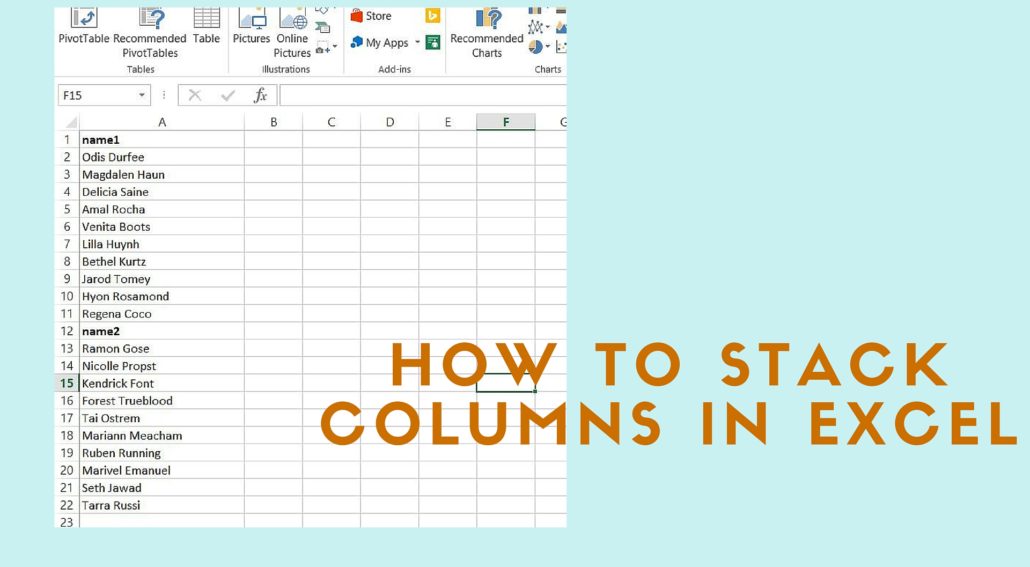
7. If everything went well, you should have a new worksheet with all the data from original worksheet in one column with the column headers. See the screen shots for example.
Before stacking-the original data:
Before Stack
After stacking:
After Stack
Here’s the code:

Option Explicit
 
Sub Stack_cols()
 
On Error GoTo Stack_cols_Error
 
Dim lNoofRows As Long, lNoofCols As Long
Dim lLoopCounter As Long, lCountRows As Long
Dim sNewShtName As String
Dim shtOrg As Worksheet, shtNew As Worksheet
 
'Turn off the screen update to make macro run faster
Application.ScreenUpdating = False
'Ask for a new sheet name, if not provided use newsht
sNewShtName = InputBox("Enter the new worksheet name", "Enter name", "newsht")
'Set a sheet variable for the sheet where the data resides
Set shtOrg = ActiveSheet
'Add a new worksheet, rename it and set it to a variable
If Not SheetExists(sNewShtName) Then
Worksheets.Add(After:=Worksheets(Worksheets.Count)).Name = sNewShtName
Set shtNew = Worksheets(sNewShtName)
Else
MsgBox "Worksheet name exists. Try again", vbInformation, "Sheet Exists"
Exit Sub
End If
 
With shtOrg
'Get the last column number
'Replace .Range("IV1") with .Range("XFD1") for Excel 2007
lNoofCols = .Range("IV1").End(xlToLeft).Column
'Start a loop to copy and paste data from the first column to the last column
For lLoopCounter = 1 To lNoofCols
'Count the number of rows in the looping column
'Replace .Cells(65536, lLoopCounter) with .Cells(1048576, lLoopCounter) for Excel 2007
lNoofRows = .Cells(65536, lLoopCounter).End(xlUp).Row
.Range(.Cells(1, lLoopCounter), .Cells(lNoofRows, lLoopCounter)).Copy Destination:=shtNew.Range(shtNew.Cells(lCountRows + 1, 1), shtNew.Cells(lCountRows + lNoofRows, 1))
'count the number of rows in the new worksheet
lCountRows = lCountRows + lNoofRows
Next lLoopCounter
End With
 
On Error GoTo 0
SmoothExit_Stack_cols:
Application.ScreenUpdating = True
Exit Sub
 
Stack_cols_Error:
MsgBox "Error " & Err.Number & " (" & Err.Description & ") in Sub:Stack_cols"
Resume SmoothExit_Stack_cols
End Sub
'Check if a worksheet exists or not
Public Function SheetExists(sShtName As String) As Boolean
On Error Resume Next
 
Dim wsSheet As Worksheet, bResult As Boolean
bResult = False
Set wsSheet = Sheets(sShtName)
 
On Error GoTo 0
If Not wsSheet Is Nothing Then
bResult = True
End If
SheetExists = bResult
End Function
Posted in Useful Procedures - Tagged excel, VBA

Tags

Access Alt F8 Books boxplot cells charts count cursor dashboard data mining dbase design error excel excel functions export filter flip LaTex MS query Number Err ODBC pipes Press Alt F11 Public Sub python R random numbers Range Cells report scripting software sparklines SQL SQL server stack columns statistics stemming string tag cloud text mining UDF VBA visualization wildcard

Network

View Ashutosh Nandeshwar's profile on LinkedIn

Recent Comments

  • W. McNabb on The search key was not found in any record in Access
  • Manuel on The search key was not found in any record in Access
  • Wendy Naples on The search key was not found in any record in Access
  • larry on Access Export to Excel (2007)
  • Betty Chou on Projects

EvoLve theme by Blogatize  •  Powered by WordPress nandeshwar.info